What a table of contents app does, and what it doesn’t
Every app here does the same core job: find the H2 and H3 headings in a post, give each an anchor, and show a linked list near the top. Readers jump to the part they came for, and a long guide stops feeling long. That’s it; the rest is where they differ:
- Which pages. Blog posts on every app. Product descriptions, collection descriptions and store pages only on some, and usually on a paid plan.
- Mobile. A list of twelve links on a phone pushes the post down a screen. Collapsible lists, a visible-item limit or a slide-out drawer fix that.
- Styling. All of them let you set colors and fonts; a few add numbering, indentation, hover styles and custom CSS.
- Control. Which heading levels count, which posts are excluded, per-article settings.
- Markup. Two apps add JSON-LD for the navigation. Google’s sitelinks under a result (“Jump to…”) come from the anchors and headings in the HTML, not from a schema type, so treat the markup as a nice-to-have rather than a ranking lever.
What no app does: make a post rank. A table of contents helps readers stay and helps Google show jump links; the post still has to answer the question. See how to add a table of contents to a Shopify blog for the manual route and when an app is worth it.
Left out: Jump Links ‑ Table of Contents ($1.99/mo, 2.0 stars from 4 reviews). Its extra is related products under the post, which is a different job.
RuffRuff Table of Contents
Best for: stores that want the most-reviewed app in this group, and a free plan for blog posts.
Launched December 2022 by Tsun, 17 reviews at 4.8, Built for Shopify. The free plan covers blog posts with design, position and a live preview. Light at $3.99 adds the show/hide button, a partial list with “Show all”, custom Liquid above and below the list (banners, videos, related links), hover underline, translated titles and removes the branding. Regular at $9.99 adds products, collections and pages. The listing is in English and Japanese.
Limits: products, collections and pages cost $9.99 a month, against $3.99 for Easy Table of Contents 2.0 and $1.99/month for ours. The trial is three days.
Easy Table of Contents 2.0
Best for: stores that read mostly on phones and want a slide-out drawer, with a month to try it.
Launched January 2022 by Bestdecoders, 13 reviews at 4.8. The free plan generates a list for unlimited articles, fixed at the top, with basic styling and JSON-LD. Essential at $1.99 adds every position, the mobile drawer, folding and indentation, and per-page settings. Extended at $3.99 (or $39.99 a year) adds pages, collections and products plus product promotions inside the list. 30-day free trial on the paid plans, the longest here. The listing stresses vanilla JavaScript with no dependencies.
Limits: two of the 13 reviews are one star; read them before you install. The free plan’s list sits at the top only.
Smart Table of Contents
Best for: a free list on blog posts, nothing else.
Launched May 2026, one review at 5.0, free with no plans. It reads H2 and H3 headings on every blog article, is styled in the theme editor, highlights the section the reader is in as they scroll, and gives each heading a shareable anchor link. Works on Online Store 2.0 themes.
Limits: blog articles only, one review, no pricing means no stated roadmap. Fine for a blog; not for a store that wants a list on product pages.
Tocito
Best for: stores that want a blog-only list with separate phone and desktop layouts, paid once.
Launched June 2026 by Pompych Studio, no reviews yet. $1 a month, $10 a year, or $12 once. Separate desktop and mobile layouts, live preview, exclude selected posts, custom CSS, animated markers and JSON-LD navigation markup. In-app chat and email support.
Limits: blog posts only, and no reviews yet. The $12 lifetime price is the cheapest way to own a table of contents, if blogs are all you need.
Auto TOC: Blog SEO & Nav (ours)
Best for: stores that want the list on blog posts, products, collections and pages for the lowest price, and control over which heading levels show.
Auto TOC: Blog SEO & Nav launched in September 2025 and has no reviews yet. The free plan covers blog posts with design and position settings. The paid plan, $1.99/month, $19.90/year or $39.90 once, adds products, collections and pages. You pick which heading levels count (H1 to H6), show the list on selected articles or everywhere, and style it in the theme editor. It works on Online Store 2.0 and vintage themes, which the newer apps don’t claim.
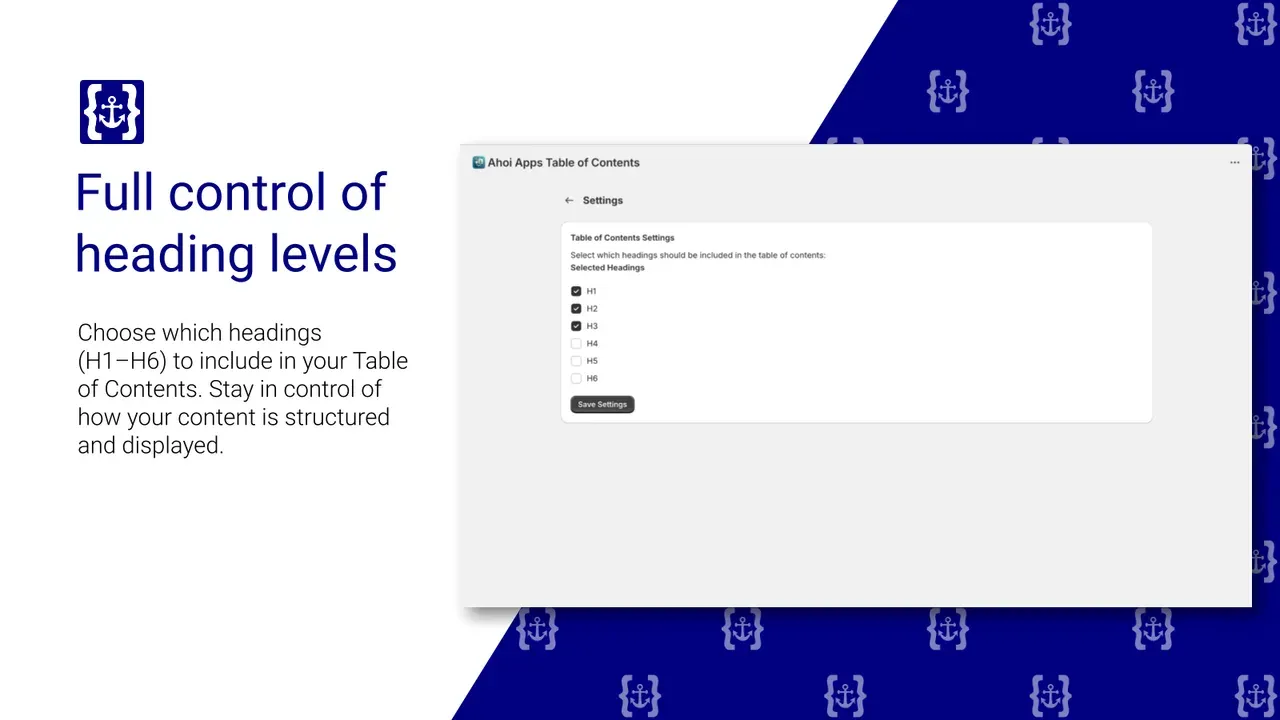
Limits, honestly: no reviews yet; we launched it late 2025 and haven’t asked for any. No mobile drawer and no collapsible list, so a post with twenty headings shows twenty links on a phone. No active-section highlight, no JSON-LD. If the phone layout matters most, pick Easy Table of Contents 2.0 or Tocito. If you want the list on every page type for $1.99/month instead of $3.99 or $9.99, pick ours.
Which table of contents app should you pick?
| If you want | Pick |
|---|---|
| The most reviews and a free blog plan | RuffRuff Table of Contents |
| A mobile drawer and a 30-day trial | Easy Table of Contents 2.0 |
| Free, blog only | Smart Table of Contents |
| Blog only, $12 once | Tocito |
| Every page type for $1.99/month, heading levels you choose | Auto TOC: Blog SEO & Nav |
If your posts are under 800 words, you don’t need any of them. A table of contents on a short post is a list of three links above a page that fits on one screen.
How we compared
Facts come from each app’s Shopify App Store listing on 1 Nov 2026: prices, plans, trials, ratings, review counts, launch dates, feature lists and the Built for Shopify badge as shown on the listing. We read the listings and the developers’ documentation. Our app is listed last and judged by the same table. Where a listing doesn’t state something, the table says “Not stated”. More on how we test.